Point-cloud workflow / orthoprojection
Point Cloud to Orthophoto
Create high-resolution orthoprojections directly from E57, LAS and LAZ point clouds.
PrismaCAD lets surveyors, engineers and laser-scanning professionals create high-resolution orthoprojections directly from point clouds. Import E57, LAS, LAZ or XYZ data, select the required view or section, generate an orthographic projection, and export the result as PNG or JPEG for use as a scaled technical reference in CAD and surveying workflows.
PrismaCAD is Windows point-cloud software for creating orthographic projections from E57, LAS, LAZ and XYZ point clouds.
In short. PrismaCAD can generate plan, elevation and section orthoprojections from point-cloud data and export high-resolution raster images for surveying, engineering and CAD workflows.
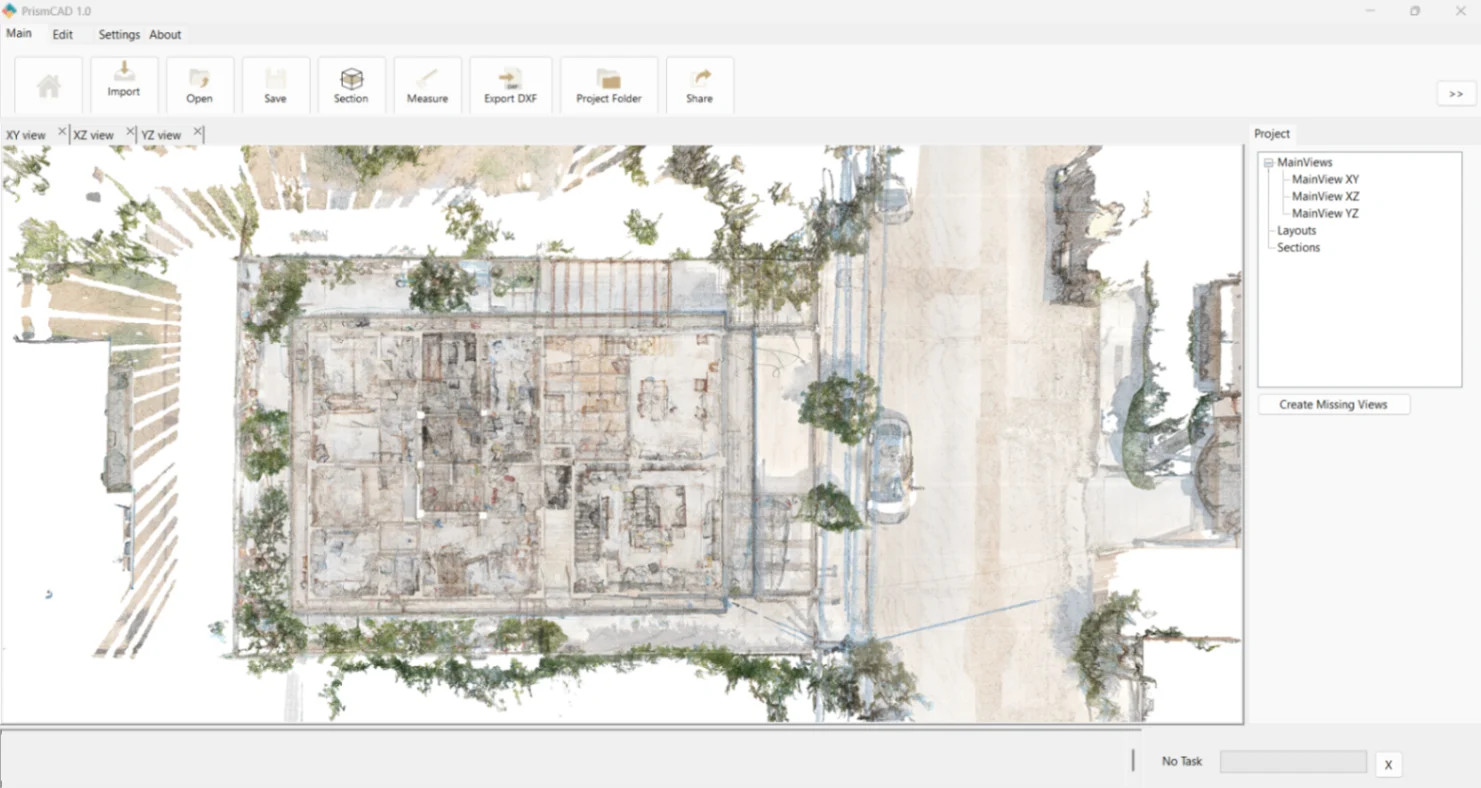
Workflow / 01
How to Create an Orthophoto from a Point Cloud
The workflow keeps the source cloud, the chosen projection and the exported raster reference connected from import through handoff.
- 1.
Import the point cloud —
Open E57, LAS, LAZ or XYZ point-cloud data in PrismaCAD.
- 2.
Choose the required projection —
Work with XY, XZ or YZ views depending on whether you need a plan, elevation or section.
- 3.
Define the area —
Isolate the relevant part of the point cloud using the available views and section/slicing tools.
- 4.
Generate the orthoprojection —
Create a high-resolution orthographic raster projection from the point-cloud data.
- 5.
Choose the visualization —
Export using RGB, grayscale or black & white depending on the source data and required technical output.
- 6.
Export —
Save the resulting projection as PNG or JPEG and continue the workflow in CAD when required.
Use the result as a scaled reference while you document a building, inspect a façade, prepare a survey drawing or continue in a compatible CAD application. For pricing, see the 1 Year and Perpetual PrismaCAD licences.
Input formats
E57 to Orthophoto
E57 laser-scanning data can be imported directly into PrismaCAD and used to create orthographic views and high-resolution orthoprojections. This fits terrestrial laser scanning and SLAM workflows where a captured environment needs to become a readable plan, elevation or section reference.
Input formats
LAS and LAZ to Orthophoto
LAS and LAZ point clouds can be opened directly and used to generate plan, elevation and section orthoprojections. Choose the view that matches the drawing or inspection task, then export a PNG or JPEG raster image for the next stage.
Coordinate planes / 02
Plans, Elevations and Sections from Point Clouds
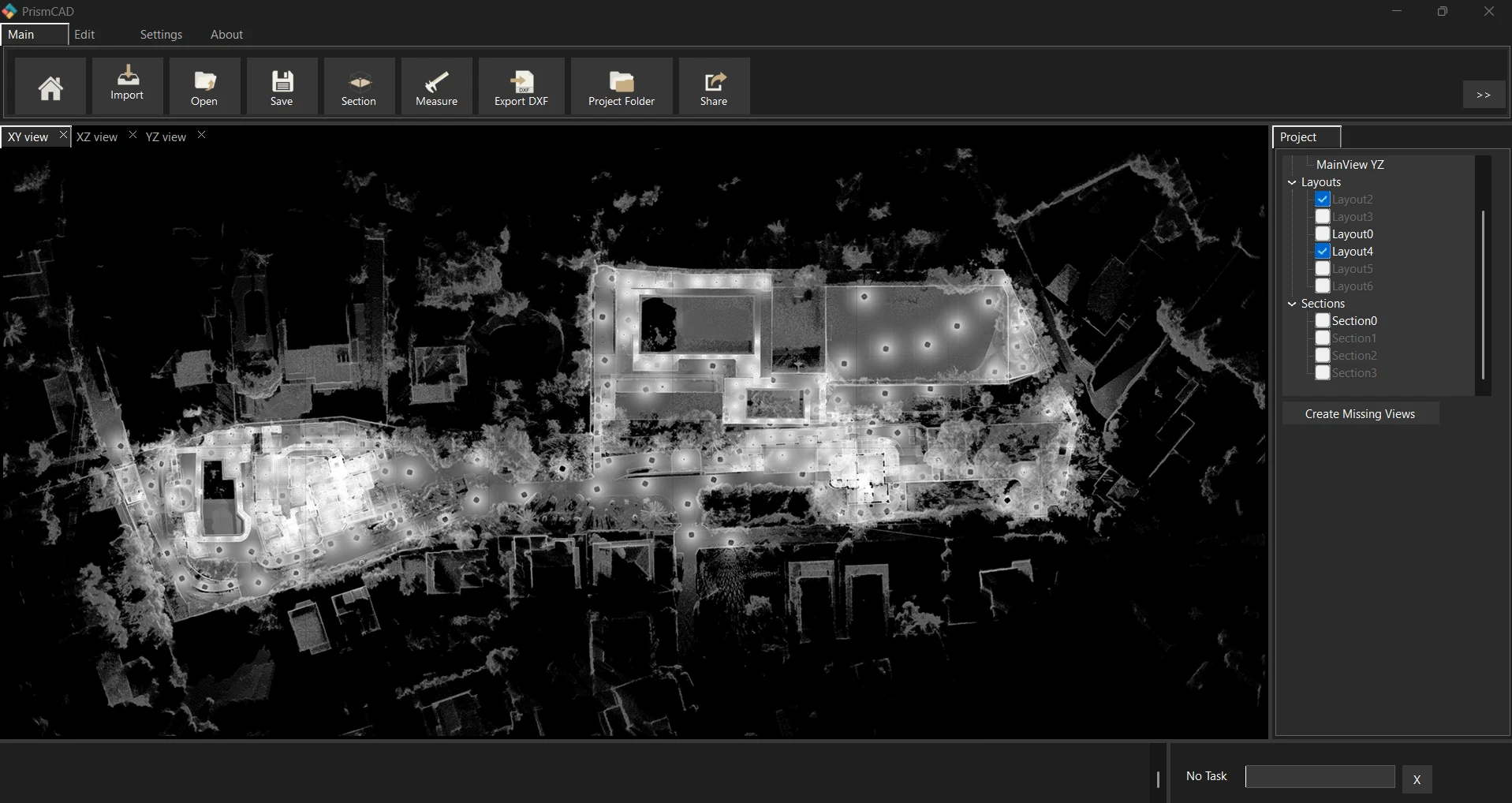
XY creates a plan or top projection. XZ creates an elevation or section. YZ creates an elevation or section in the other principal direction.
You are not limited to a simple top-down image. PrismaCAD is intended for engineering and surveying workflows where orthogonal projections of buildings, façades and sections are useful for documentation, checking and technical drawing.
For the underlying view and slicing controls, continue with the Orthoprojections section in the PrismaCAD manual.
From scan to drawing / 03
Point Cloud to Orthophoto for CAD
A practical chain looks like this: a 3D laser scan becomes a point cloud; you select a view or section; PrismaCAD generates an orthoprojection; then the image becomes a technical reference for a CAD workflow.
3D laser scan
Point cloud
Select view / section
Orthoprojection
Technical drawing / CAD workflow
PrismaCAD can also support DXF workflows for carrying point-cloud information into subsequent CAD work. The raster orthophoto is a reference image; it does not automatically become vector geometry.
Terminology
Orthophoto vs Orthoprojection
The terms are sometimes used interchangeably in point-cloud workflows, but they describe different technical starting points. A photogrammetric orthophoto or orthomosaic is usually produced from photographs with geometric correction. PrismaCAD generates an orthographic raster projection from point-cloud data.
When users search for “point cloud to orthophoto”, this orthoprojection workflow is often what laser-scanning users are looking for. PrismaCAD does not make orthomosaics from photographs; it starts with point-cloud data.
Capabilities / 04
Why Use PrismaCAD for Point Cloud Orthoprojections?
E57 support
Import E57 laser-scanning data.
LAS support
Open LAS point-cloud files directly.
LAZ support
Open compressed LAZ point-cloud files.
XYZ support
Work with XYZ point-cloud data.
Large point-cloud datasets
Work with substantial capture datasets.
XY / XZ / YZ projections
Choose plan, elevation or section views.
Sections and slices
Isolate the part of the cloud you need.
RGB orthoprojections
Keep the source colour in the output.
Grayscale orthoprojections
Create a neutral grayscale reference.
Black & white orthoprojections
Prepare a high-contrast technical view.
PNG export
Save raster projections as PNG.
JPEG export
Save raster projections as JPEG.
DXF workflows
Continue point-cloud work in CAD.
Measurements
Take dimensions from the point cloud.
Windows desktop workflow
Use PrismaCAD on Windows 10 or 11, 64-bit.
Questions, answered / 05
Point Cloud to Orthophoto FAQ
- Q: Can I create an orthophoto from an E57 point cloud?
- A: Yes. PrismaCAD can import E57 point-cloud data and generate high-resolution orthographic projections from the cloud.
- Q: Can I create an orthophoto from LAS or LAZ?
- A: Yes. PrismaCAD supports LAS and LAZ point clouds and can generate orthographic raster projections from the imported data.
- Q: Can I create a façade orthophoto from a laser scan?
- A: Yes. By using an appropriate orthogonal view, a point cloud of a building façade can be converted into a high-resolution orthographic projection for documentation and CAD workflows.
- Q: Does PrismaCAD create orthophotos from drone photographs?
- A: PrismaCAD's orthoprojection workflow starts from point-cloud data. It is not a photogrammetric image-processing application for generating orthomosaics directly from raw drone photographs.
- Q: Which point-cloud formats does PrismaCAD support?
- A: PrismaCAD supports common point-cloud formats including E57, LAS, LAZ and XYZ.
- Q: Can I export the result for use in CAD?
- A: Yes. PrismaCAD supports image export and DXF-based workflows so point-cloud information can be carried into subsequent CAD work.
- Q: Can I create sections from the same point cloud?
- A: Yes. PrismaCAD includes section and slicing workflows for isolating and working with specific parts of the point cloud.
Ready to work from your own E57, LAS, LAZ or XYZ data?
Download PrismaCAD Free Trial